Free on TestFlightApple TV · iPhone · iPad · Mac

Build your Apple TV media home.

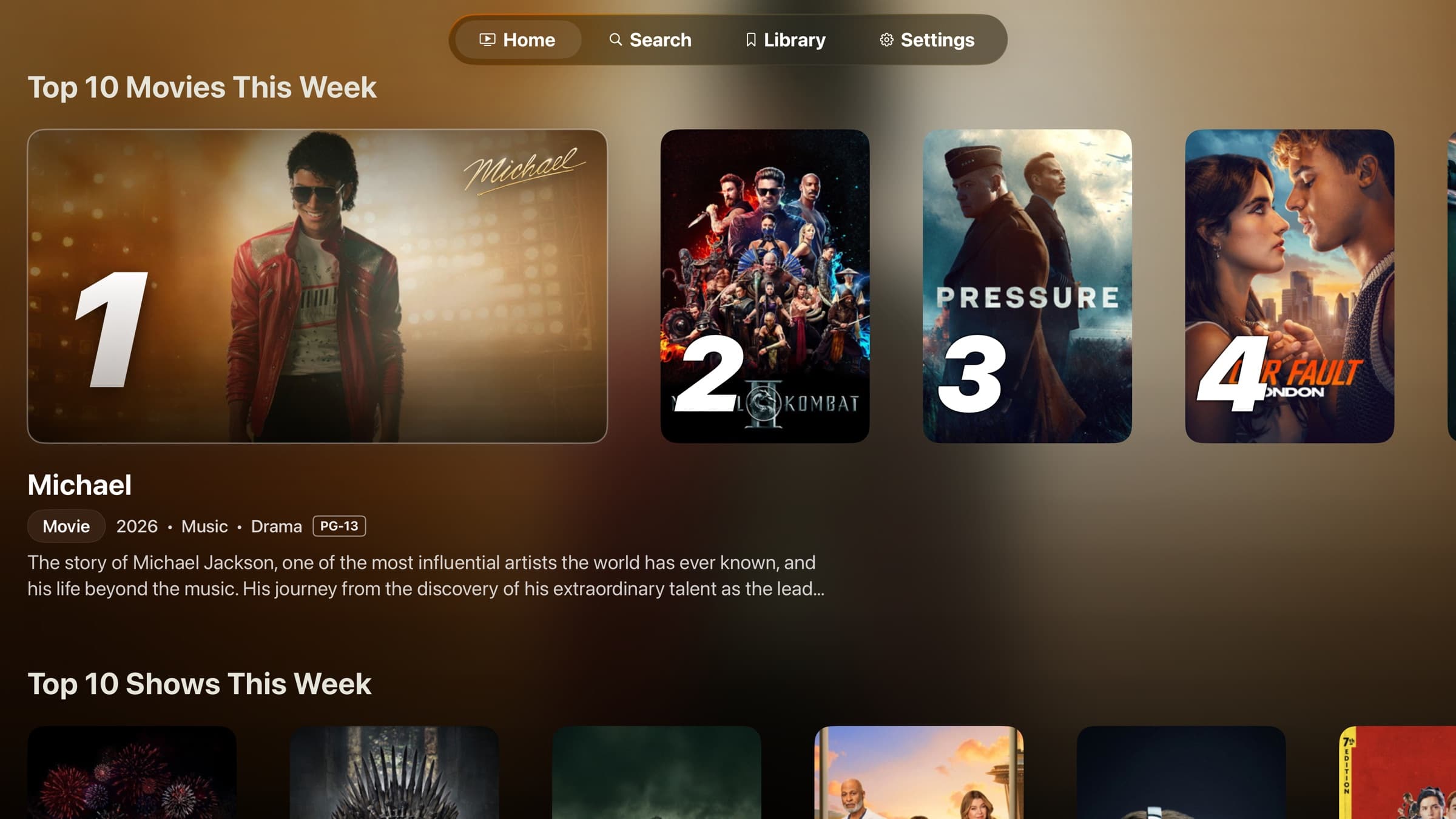
The Atlas home screen on Apple TV: a Top 10 Movies spotlight row with the focused title's details below it, and a Top 10 Shows row underneath.

A media home that bends to how you watch.

Atlas hands you the controls: the layout, the playback, and the people who share the TV. It stays quiet while you build your setup.

Autopick

Turn on autoplay and Atlas picks a stream for you, then starts it, with no picker to dig through. Choose how it weighs your options, and for shows it verifies the exact episode before anything plays.

Data SaverFast StartBest QualityAdd-on Order

Progress-aware playback

Hand a title off to Infuse or SenPlayer and your position comes back to Atlas. Continue Watching updates on its own, the next episode is queued up, and backing out without watching never wipes your progress.

Custom Collections

Build dedicated pages with their own hero, artwork, and nested rows, or merge catalogs into one filterable grid. Pick a poster style per row and reorder everything until Home looks like yours.

LandscapePortraitSquare

Apple TV Profiles

Share one Apple TV without sharing one layout. Each profile keeps its own Home, progress, and Continue Watching, with a maturity tier per person and an optional PIN for the grown-ups.

Little KidsOlder KidsTeensAdults

Share Codes

Hand someone your setup, not your account. A short code carries your layout, settings, and stream tags, with add-ons optional. Your history and connections stay private, and codes expire after 7 days.

iCloud Auto Sync

Build it once and find it on every Apple device. Layouts, settings, profiles, and progress sync automatically through your private iCloud, and Atlas keeps working locally when iCloud is away.

Design Home on the web. Apply it on Apple TV.

Shape your hero, rows, and cards in a live preview, then carry the whole layout into Atlas with a Share Code. Open the builder and try it.

Open Layout Builder

Build your Atlas.

Join the TestFlight, design a Home you actually like, and make it yours.